10 Best Framer Add-Ons for Your Site
The best Framer add-ons combine visual enhancement, SEO optimization, e-commerce functionality, and automated data syncing to transform prototypes into production-ready websites. Essential plugins include Lummi for AI-generated imagery, Semflow for SEO auditing, Frameship for Shopify integration, FramerForms for lead capture, and CMS Data Sync for external database connections.
Key Facts
• Visual plugins: Lummi provides 20,000+ royalty-free AI images while Hugeicons offers 46,000+ scalable icons across multiple styles
• SEO impact: 75% of users never move past the first search results page, making SEO plugins essential for visibility
• Commerce integration: Frameship connects Shopify stores in under 60 seconds with 20+ pre-built components
• Typography matters: Type choice increases message relevance by 13% and trustworthiness by 9%
• Data syncing: CMS Data Sync connects Google Sheets, Airtable, Firebase and other sources with 1.4K active users
• Content freshness: AI engines cite fresh content 6x more frequently, with citations dropping 80% within a year without updates
Framer add-ons can turn a good prototype into a revenue-driving website. Pairing the right plugins with Framer's fast canvas unlocks capabilities that range from AI-generated imagery and real-time SEO scoring to one-click e-commerce integration. This guide walks through visuals, SEO, e-commerce, forms, typography, and data sync, then wraps with a stay-fresh reminder so your site keeps converting long after launch.
Why Do Framer Add-Ons Matter for Speed, UX & Revenue?
Framer stands out as a versatile web animation tool for designers focused on speed and quality. Its no-code setup, AI-powered creation, and scroll-based animations let ideas move quickly from concept to live website. But the real power emerges when you layer purpose-built plugins on top of that foundation.
"Framer is not just a prototyping tool; it's a full-fledged design tool that allows for the creation of production-ready designs," notes FramerSpace. That production-readiness multiplies when plugins handle images, SEO, commerce, forms, and data without forcing you to write code.
Consider discoverability: 75% of users never move beyond the first page of search results. If your Framer site lacks SEO tooling, you're invisible to three-quarters of potential visitors before the design even loads.
Key takeaway: The right plugin stack converts Framer's design speed into measurable business outcomes like higher rankings, faster checkouts, and more qualified leads.

How Did We Evaluate the 10 Best Framer Add-Ons?
We scored every plugin against four factors:
Performance: Does the plugin load fast in Framer? Do icons and images scale cleanly without layout rebuilds?
Usability: Can a non-developer configure it in minutes?
Support & Updates: Is the plugin actively maintained with clear documentation?
SEO & AI Impact: Does it improve discoverability or citation potential?
All images in the Lummi library, for example, are free for both personal and commercial use, eliminating licensing friction that slows many projects. Meanwhile, AI-enhanced SEO plugins surface issues traditional tools miss.
Framer's native plugin architecture also matters. The plugin loads fast in Framer, icons scale cleanly, and you can switch styles without rebuilding your layout. That baseline quality let us focus on feature depth rather than compatibility workarounds.
Which Add-Ons Supercharge Visuals & Icons?
Visual quality shapes first impressions. Stock imagery that feels generic undercuts even the best copy.
Lummi: AI-Generated, License-Free Images
Lummi provides access to a large AI image library, illustrations, and 3D visuals. With 38.6K users on the Framer Marketplace, it has become a go-to for designers who want originality without licensing headaches.
The library contains over 20,000 stunning royalty-free images curated to remove common AI-generated flaws. Advanced filtering lets you sort by color, orientation, or luminance, saving hours of manual searching.
Icon Plugins: Hugeicons, Iconstack & Phosphor
Icons simplify complex ideas and guide users through interfaces. Three plugins cover nearly every style:
Plugin | Icon Count | Pricing | Best For |
|---|---|---|---|
Hugeicons | 46,000+ (premium) | Free tier + paid | Multiple styles, scalable SVG |
Iconstack | 40,000+ | Free | Variety seekers, no cost |
Phosphor | 6 styles | Free | Quality over quantity |
Iconstack gives you access to over 40,000 icons from more than 20 packs at no cost. Phosphor focuses on one collection but offers six styles, each resizable without quality loss.
Unsplash remains the most reliable resource for high-resolution, royalty-free photography when you need traditional shots alongside AI visuals.
Which SEO & Analytics Plugins Boost Discoverability in Framer?
Discoverability separates hobby projects from revenue drivers. Three plugins stand out.
Semflow
Semflow is the easy-to-use SEO plugin for Framer. It audits your site, optimizes pages, finds keywords, and integrates PageSpeed Insights in one dashboard. Each audit returns a score based on a complex algorithm, showing how "rankable" your site is. AI-generated titles and meta descriptions arrive with one click.
OptiScope
OptiScope is the only SEO plugin built specifically for Framer that transforms stunning designs into high-performing, search-dominating websites. It targets enterprise-level optimization with detailed error reporting.
Fathom Analytics
Fathom Analytics offers simple-to-use, privacy-focused (GDPR-compliant) website analytics. For teams that need cookieless tracking without sacrificing insight, Fathom delivers.
Key takeaway: Start with Semflow for an all-in-one checklist, layer OptiScope for enterprise audits, and add Fathom for privacy-first analytics.
How Do You Add E-Commerce & Membership to Framer?
Selling products or gating content no longer requires a separate platform.
Frameship: Shopify Integration
Frameship automatically imports your Shopify products, including images, prices, variants, and inventory levels, into Framer's CMS. Setup takes less than 60 seconds with no technical configuration required.
The plugin ships with a library of 20+ components covering carts, checkouts, and product displays. Designers get full control over look and feel while Shopify handles payments and fulfillment.
Outseta: Membership Sites
For gated content or subscription models, Outseta and FramerAuth let you add membership features without coding. Users authenticate, access paywalled pages, and manage subscriptions inside the Framer experience.
What's the Best Way to Capture Leads in Framer?
Forms are the bridge between traffic and pipeline. Two plugins dominate.
FramerForms
FramerForms is a plugin for Framer that allows you to easily create custom forms with advanced features like multi-steps, file uploads, and logic. It builds on Framer's native forms, adding capabilities that would otherwise require custom code.
With 10,000+ brands using the plugin, FramerForms has proven its reliability. The commercial plan offers lifetime access for unlimited sites, making it ideal for agencies.
HubSpotNative
HubSpotNative lets you capture leads directly in Framer and sync them instantly with your HubSpot account. Unlike embedded HubSpot forms, HubSpotNative gives you full design freedom while leveraging HubSpot's CRM backend. Trusted by 100+ businesses globally, it syncs unlimited forms in a single Framer project with a one-time payment.
Pixel-Perfect Type: Why Responsive Typography Converts
Typography is the "voice" of your brand when you aren't in the room. Consistent, responsive type drives engagement and trust.
Research from Monotype and Neurons found that type choice can make a word appear 13% more relevant to messaging, spark a 10% increase in memorability, and bring a 9% increase in trustworthiness. A separate campaign leveraging these findings drove a 200% increase in Instagram poll engagement.
In 2025, web fonts appeared on roughly 88% of websites, up from 87% the prior year. Variable fonts now power 41.3% of mobile websites, enabling fluid scaling without extra file requests.
Typescale Generator
The Typescale Generator plugin creates consistent typography hierarchies with a single click. It supports industry-standard scale ratios from Minor Second to Golden Ratio and presets from Material Design 3, Atlassian, Shopify Polaris, and IBM Carbon. With 2.4K users, it automates font weights, line heights, and letter spacing for professional results.
Key takeaway: Use Typescale Generator to set your hierarchy once, then let fluid scaling maintain brand clarity across every device.
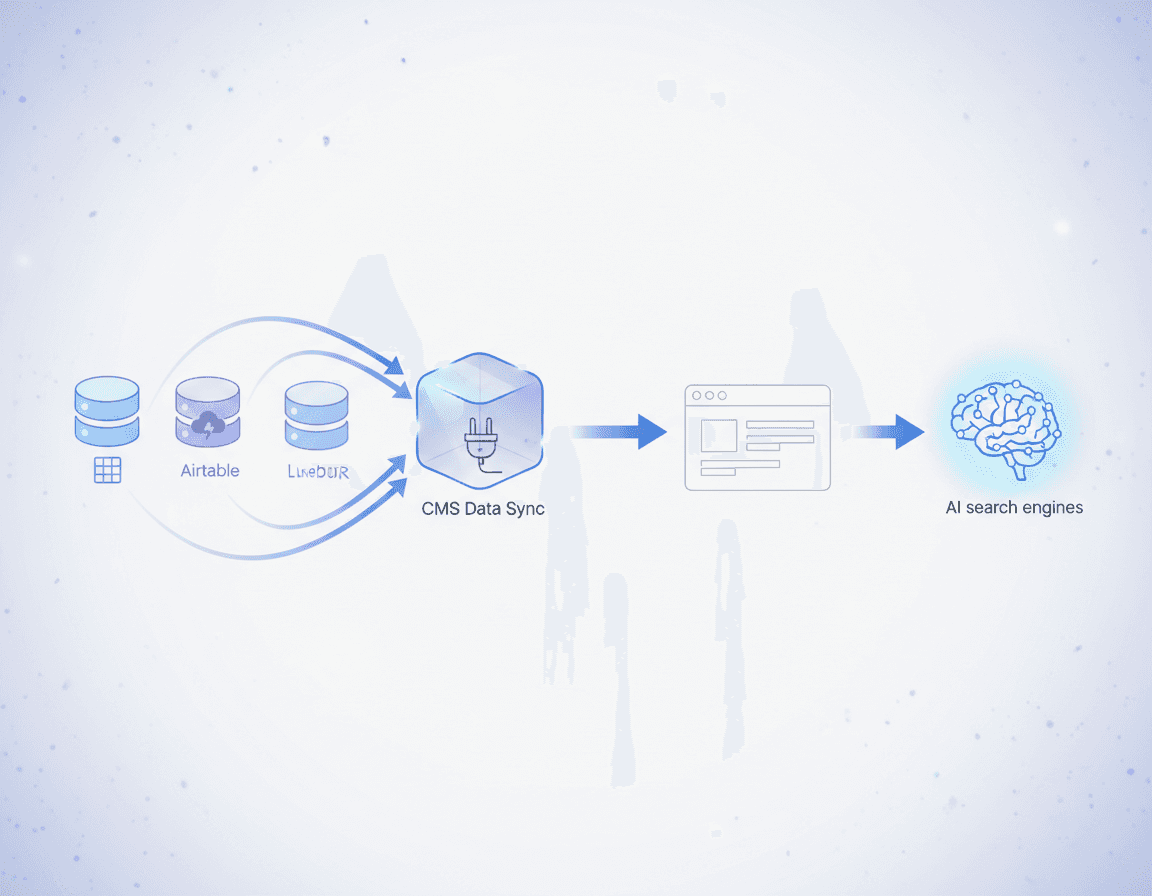
Data & CMS Sync: Build at Scale with CMS Data Sync
Dynamic content separates static brochures from living websites. Framer's CMS becomes far more powerful when external data flows in automatically.
CMS Data Sync
CMS Data Sync lets you sync data from any source like Google Sheets, Airtable, Firebase, Supabase, Postgres, and more to Framer CMS. With 1.4K users, the plugin features an AI workflow builder where you drag and drop data sources, ship as API in a click, and sync to Framer.
The plugin maintains updates efficiently, pushing only the changes with upsert operations so unchanged data stays intact.
Additional CMS Plugins
Google Sheets sync maps columns and automatically updates CMS content from your spreadsheet. Notion sync preserves rich text, images, dates, and attachments with one click. For enterprise teams, Contentful CMS Sync pulls blogs, products, and media into managed collections via secure API.
GEO platforms with native CMS integrations enable teams to optimize content directly at the source for AI visibility. When your CMS feeds structured, fresh data into Framer, both human visitors and AI crawlers find what they need.
Choosing the Right Stack & Keeping It Fresh
A well-chosen plugin stack amplifies Framer's strengths:
Visuals: Lummi for AI imagery, Hugeicons or Phosphor for icons.
SEO: Semflow for audits, Fathom for privacy-first analytics.
Commerce: Frameship for Shopify, Outseta for memberships.
Forms: FramerForms or HubSpotNative for lead capture.
Typography: Typescale Generator for fluid scaling.
Data: CMS Data Sync for external databases.
But building is only half the battle. Content freshness determines whether AI engines keep citing you. Research shows that AI cites fresh and accurate content 6x higher. When your pages go stale, you disappear from the answers. Citations drop 80%+ within a year if content isn't actively refreshed.
CMS Data Sync helps by pulling live data, but product descriptions, blog posts, and landing pages need ongoing attention. At 15 pages per month, it takes 13+ months to refresh a library, and by then the first pages are stale again.
Teams seeking autonomous content refresh at scale can explore platforms like Relixir, which deploys AI agents to generate and refresh GEO-optimized content directly on your CMS. The platform integrates with Framer, WordPress, Webflow, and Contentful, combining real-time AI monitoring across 10+ platforms with automated content optimization.
The window to dominate AI-search-driven revenue is open now. Your Framer site, powered by the right plugins and kept fresh, can be the answer buyers find when they ask ChatGPT, Perplexity, or Google AI Overviews for recommendations.
Frequently Asked Questions
What are the benefits of using Framer add-ons?
Framer add-ons enhance your site's design, functionality, and SEO capabilities, turning prototypes into revenue-driving websites. They offer features like AI-generated imagery, real-time SEO scoring, and e-commerce integration, which improve user experience and business outcomes.
How do Framer add-ons improve SEO?
Framer add-ons like Semflow and OptiScope optimize your site for search engines by auditing pages, finding keywords, and integrating PageSpeed Insights. These tools help improve your site's discoverability and citation potential, crucial for attracting more visitors.
Which Framer add-ons are best for e-commerce integration?
Frameship is a top choice for e-commerce integration with Framer, allowing seamless Shopify product imports and management. It provides components for carts, checkouts, and product displays, enabling designers to maintain control over aesthetics while Shopify handles transactions.
How can Framer add-ons help with lead capture?
FramerForms and HubSpotNative are excellent for lead capture in Framer. They allow you to create custom forms and sync leads directly with CRM systems like HubSpot, providing design flexibility and efficient lead management.
Why is content freshness important for AI search visibility?
Content freshness is crucial as AI engines prioritize recent and accurate information. Stale content can lead to a significant drop in citations and visibility. Platforms like Relixir help maintain content freshness by automating updates and optimizing for AI search.
Sources
https://www.framerspace.io/en/blogs/essential-web-animation-tools-for-designers
https://hugeicons.com/blog/technology/6-best-icon-plugins-for-framer
https://tympanus.net/codrops/2024/07/04/lummi-say-goodbye-to-boring-stock-photos-forever/
https://templyo.io/blog/the-best-framer-plugins-for-2024-must-have-top-25
https://www.framer.com/marketplace/plugins/typescale-generator/
https://relixir.ai/blog/best-geo-platforms-with-cms-integrations