博客
How to Migrate to a GEO-Native CMS (Without Losing SEO Rankings)

How to Migrate to a GEO-Native CMS (Without Losing SEO Rankings)
Migrating to a GEO-native CMS preserves SEO rankings through meticulous planning, one-to-one 301 redirect mapping, and continuous monitoring. Successful migrations maintain 99% of original rankings while unlocking AI search visibility that traditional platforms cannot deliver. The key is treating migration as a strategic investment requiring thorough audits, staging tests, and aggressive post-launch tracking.
At a Glance
• Pre-migration audits are critical: Crawl your entire site, benchmark traffic and backlinks, and document every URL before making changes
• 301 redirects preserve authority: Correctly implemented 301 redirects transfer link equity and prevent ranking drops
• Monitor aggressively post-launch: Track both traditional SEO metrics and AI citation rates daily for the first two weeks
• Content refresh drives results: Automated refresh can lead to 111% increases in organic traffic and 6x higher conversion rates from AI sources
• Recovery is possible: Even sites experiencing 35% traffic drops can double year-over-year revenue with proper fixes
• AI search is the future: Perplexity processes 780 million monthly queries with referrals converting at 12.8%
A GEO-Native CMS migration is one of the most consequential moves a content team can make in 2026. Done well, it preserves your hard-earned rankings while unlocking the AI-search gains that traditional platforms simply cannot deliver. Done poorly, it can erase months of organic growth overnight.
This guide walks you through every phase of the process: from pre-launch audits and redirect mapping to launch-day quality control and post-migration monitoring. Whether you are moving from WordPress, Webflow, or another legacy system, the framework below will help you migrate boldly and rank higher.
Why Is a GEO-Native CMS Migration High-Stakes for SEO?
"Website migration is a complex process that requires careful planning and execution to avoid losing SEO rankings." That warning from Search Engine Journal captures the core tension: a CMS migration can either accelerate your visibility or tank it.
A website migration refers to any major change to a site's structure, domain, platform, or content that affects search engine visibility. When you move to a GEO-native CMS, you are not just swapping backends. You are changing URLs, rendering methods, and information architecture all at once.
Traditional CMS platforms like Webflow, WordPress, and Contentful were built for 2000s-era SEO, requiring manual content publishing, manual refresh cycles, and providing zero visibility into AI search results. A GEO-native platform flips that script by auto-structuring and refreshing pages for large-language-model citations.
The upside is substantial. AI search engines increasingly prioritize domain-specific, well-structured content over third-party sources. A properly executed migration positions your brand to capture that traffic. The downside is equally dramatic: broken redirects, lost metadata, and performance regressions can cause ranking drops within days.
Key takeaway: Treat a GEO-native CMS migration like any high-risk project: run full audits, create one-to-one 301 maps, benchmark Core Web Vitals, and monitor AI citation post-launch.
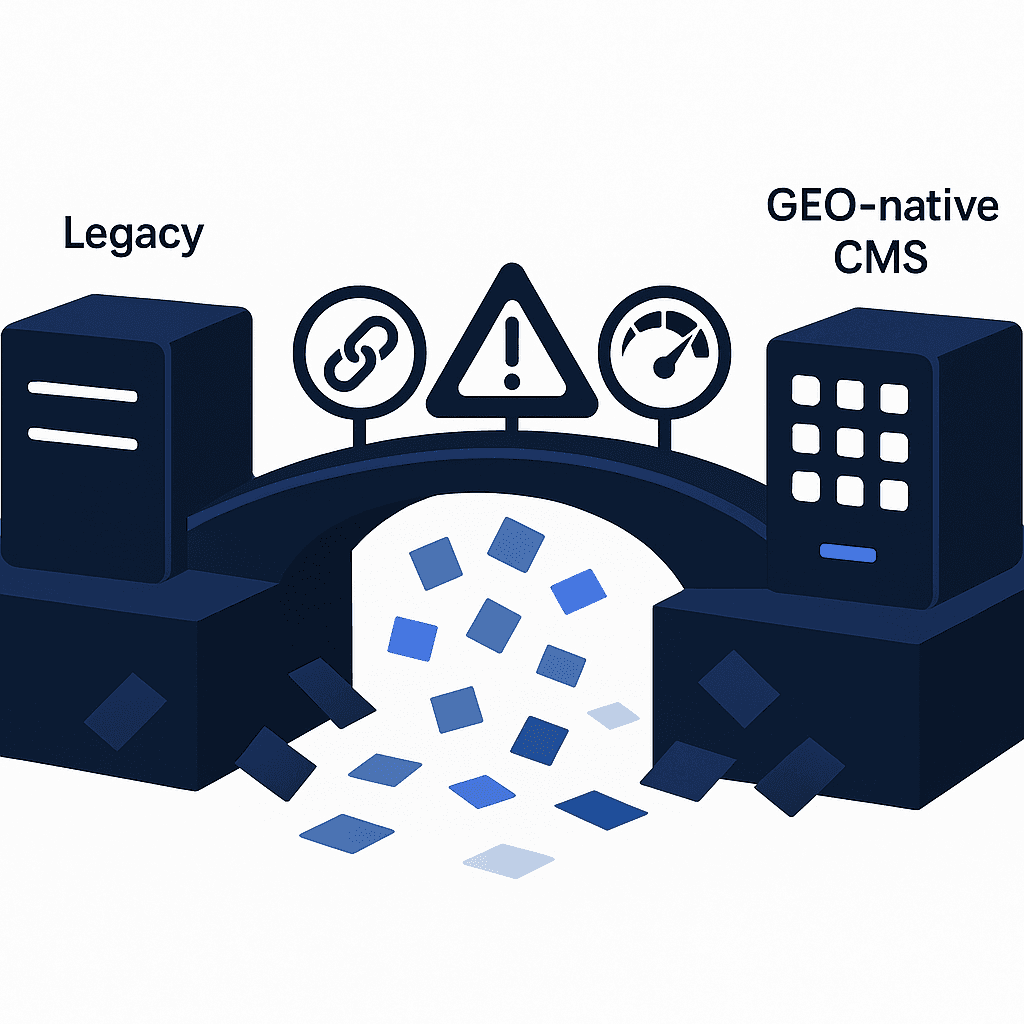
What SEO Risks Lurk in a CMS Migration?
A website migration is one of the highest-risk digital projects you can run. Understanding the common failure modes helps you avoid them.
Common Pitfalls
No shared migration plan among stakeholders
No clear redirect strategy for legacy URLs
No benchmarks or backup of current performance
No one owning the technical details during and after launch
A poorly executed site migration can wreak havoc on your online presence, causing search engines to lose track of your content, users to encounter broken pages, and your hard-earned SEO equity to disappear overnight.
Core Web Vitals at Risk
Google evaluates performance metrics like Largest Contentful Paint (LCP), Cumulative Layout Shift (CLS), and Interaction to Next Paint (INP). A CMS swap that degrades these scores can hurt rankings even if your content stays identical.
Metric | Target | Why It Matters |
|---|---|---|
LCP | ≤ 2.5 s | Measures loading performance |
CLS | < 0.1 | Measures visual stability |
INP | < 200 ms | Measures interactivity |
Modern SEO requires SSR, ISR, or edge rendering to combine speed with dynamic flexibility. A GEO-native CMS built on headless architecture can actually improve these metrics, but only if the front-end implementation is done correctly.
How Do You Prepare for a GEO-Native Migration? Audit, Benchmark & Redirects
Preparation separates smooth migrations from catastrophic ones. The checklist below ensures you enter launch day with confidence.
Pre-Migration Checklist
Phase | Task | Owner |
|---|---|---|
Planning | Set goals and metrics before you move | Marketing + SEO |
Planning | Assemble cross-functional team | Project lead |
Audit | Crawl site with Screaming Frog or similar | SEO |
Audit | Benchmark organic traffic, rankings, backlinks | SEO |
Redirect | Build one-to-one 301 redirect map | SEO + Dev |
Staging | Set up test environment | Dev |
Staging | Compare server performance old vs. new | Dev |
Redirect mapping involves identifying legacy URLs and their corresponding new locations or redirect targets. A precise map is the single most important deliverable before launch.
A site migration is a hefty project, but when you have a clear roadmap with deadlines and task ownership, everything runs a whole lot smoother.
Run a Full Content & Backlink Audit
Comprehensive benchmarking is the first step. Crawl the current site, integrating Google Search Console and Google Analytics APIs, and analyze it using tools like Moz Site Crawl.
Use Screaming Frog or a similar tool to crawl the entire site before you make any changes. Export:
All URLs with response codes
Title tags and meta descriptions
Internal link structure
Backlink profile from Ahrefs or Google Search Console
Backlinks remain one of the most influential SEO signals, and failing to address them after a new website launch can result in significant loss of SEO authority.
Build a One-to-One 301 Redirect Map
301 redirects are crucial for maintaining SEO rankings during a site migration. A 301 permanently signals the new home of a page, allowing Googlebot to transfer ranking signals and backlinks.
If 301 redirects are not implemented correctly, search engines won't pass ranking authority to new URLs, leading to a drop in rankings. Follow these principles:
Map every legacy URL to its exact new counterpart.
Avoid redirect chains where URL A → B → C. Go directly A → C.
Never redirect all legacy URLs to the homepage. That approach can lead to significant sitewide declines.
Test redirects in staging before launch.
Key takeaway: An accurate and optimized redirect map ensures that page authority is effectively transferred from the old webpage to the new one.

Technical Execution: Headless SEO, Core Web Vitals & Launch-Day Tasks
Headless content management systems separate a back-end content repository, the "body," from the presentation layer, the "head." This architecture is the process of optimizing your headless CMS website to enhance performance in organic results.
Why Headless Architecture Supports SEO
Hybrid rendering combines both client-side and server-side rendering techniques, where initial page loads are rendered on the server and subsequent interactions are handled client-side. This approach balances performance and flexibility.
Core Web Vitals are a set of metrics that measure loading performance, interactivity, and visual stability. LCP should occur within 2.5 seconds of when the page first starts loading to provide a good user experience.
API-first architecture supports aggressive CDN caching with potential 40-60% latency reduction. Automatic responsive image generation and modern format support (AVIF, WebP) can deliver 60-70% mobile page weight reductions.
Launch-Day QC: Robots, Sitemaps & Parallel Running
"Parallel running involves keeping both the old and new systems running simultaneously for a period of time." This strategy lets you catch issues before fully cutting over.
24-Hour Quality-Control Checklist:
Verify robots.txt allows crawling. A simple text file can cause all sorts of problems if misconfigured.
Submit new XML sitemap in Google Search Console.
Confirm analytics tracking is firing on all pages.
Test a sample of 301 redirects using a crawler.
Check canonical tags point to the correct URLs.
Validate structured data with Google's Rich Results Test.
Make sure you have all variations of your site set up in Google Search Console. That includes www, non-www, and HTTPS variants.
How Do You Monitor SEO & AI Citation After Launch?
Post-migration monitoring is where many teams drop the ball. The first two weeks are critical.
Metrics to Track
Optiview calculates visibility scores using the formula: Visibility Score = (Frequency × 0.5) + (Diversity × 0.3) + (Recency × 0.2). This approach captures how often AI assistants cite your content.
Perplexity has scaled from a niche tool processing 3,000 daily queries in 2022 to a platform handling 780 million monthly queries as of May 2025. Perplexity referrals convert at 12.8%, roughly 6× higher than Google organic traffic.
Google's core ranking systems look to reward content with good page experience. Monitor both traditional SEO KPIs and AI citation rates:
Metric Category | Tools | Frequency |
|---|---|---|
Organic traffic & rankings | Google Search Console, SEMrush | Daily for 2 weeks |
Crawl errors & indexation | Google Search Console | Daily for 2 weeks |
Core Web Vitals | PageSpeed Insights | Weekly |
AI citation rate | AI Visibility tools, Optiview | Weekly |
You may see a temporary decrease in tracked keywords right away. Don't let this worry you just yet, since it may take time for new URLs to rank.
Responding to Issues
Monitor the error reports in Google Search Console weekly (or even more frequently) to stay on top of any issues. Common problems include:
404 errors on high-traffic pages
Redirect chains introduced by CMS defaults
Missing or duplicate canonical tags
Address critical issues within 24-48 hours to minimize ranking loss.
Going Beyond: Autonomous Content Refresh & Continuous SEO Wins
Once a site crosses 1,000 indexed URLs, "just publish more" stops working. Content decay quietly undermines revenue unless you build a refresh system.
Content refreshes can lead to a 111% increase in organic traffic. Citation likelihood drops by more than 50% when content goes more than a year without updates.
How Autonomous Refresh Drives AI Citation
A GEO-native CMS includes autonomous content refresh that continuously scans your entire library for outdated information. When your product releases new features, updates pricing, or changes positioning, the platform automatically identifies all affected content and refreshes it to maintain accuracy.
Results from teams using automated refresh workflows show significant gains. AI-attributed signups grew from 2% to nearly 10% in recent case studies, and conversion rates from AI-sourced traffic ran 6× higher than traditional SEO.
Autonomous refresh syncs with your knowledge base, including product specs, documentation, release notes, and pricing pages. When that source changes, all dependent content updates automatically.
Key takeaway: A strong content refresh framework turns a sprawling library into a strategic asset rather than a maintenance burden.
What Can Go Wrong? Real-World Pitfalls & Recovery Stories
Learning from others' mistakes can save you months of recovery work.
Case Study: Traffic Drop After Platform Change
TotalHomeSupply.com migrated to Mozu just as Google rolled out Panda 4.2. Organic traffic had dropped nearly 35 percent, and transactions were down 21 percent. However, the conversion rate went up 24 percent, so revenue was only down 7 percent.
The recovery required fixing JavaScript-loaded pagination URLs and pruning low-quality pages. By July 2016, revenue from organic traffic doubled year-over-year.
Case Study: eCommerce Migration Success
Inflow migrated over 20,000 URLs for an eCommerce client and maintained 99% of the original rankings. The client saw a 23% increase in organic traffic and a 21% increase in revenue from organic search within three months.
Case Study: SaaS Migration to Webflow
A SaaS company migrated 3,500+ URLs from WordPress to Webflow. Post-migration results showed pageviews increased by 34%, landing page sessions grew by 26%, and average time on page rose from 42 seconds to 83 seconds.
The common thread across all successful migrations: meticulous redirect mapping, thorough staging tests, and immediate post-launch monitoring.
Key Takeaways: Migrate Boldly, Rank Higher
A GEO-native CMS migration is not just a technical project. It is a strategic investment in your AI-search future.
Summary of action items:
Audit thoroughly. Crawl your site, benchmark traffic and backlinks, and document every URL.
Map redirects precisely. Every legacy URL needs a one-to-one 301 redirect to its new counterpart.
Test in staging. Validate redirects, Core Web Vitals, and structured data before launch.
Monitor aggressively. Track both traditional SEO metrics and AI citation rates daily for the first two weeks.
Refresh continuously. Use autonomous content refresh to keep your library fresh and citation-worthy.
"Monitoring the website's performance post-migration is crucial to identify any issues that may arise and to ensure that SEO rankings are maintained."
Autonomous refresh capability continuously scans your entire content library for outdated information, ensuring AI search engines always see your most current, accurate content. If you are ready to migrate to a GEO-native CMS that preserves your rankings while unlocking AI-search gains, Relixir automates audits, redirects, and AI citation tracking. Book a Relixir demo to safeguard rankings while capturing AI search traffic.
Frequently Asked Questions
What is a GEO-native CMS migration?
A GEO-native CMS migration involves moving your website to a CMS designed for AI search optimization, enhancing visibility and performance in AI-driven search engines.
Why is a GEO-native CMS migration high-stakes for SEO?
Migrating to a GEO-native CMS is high-stakes because it involves significant changes to your site's structure and URLs, which can impact SEO rankings if not managed properly.
What are the common pitfalls in a CMS migration?
Common pitfalls include lack of a shared migration plan, unclear redirect strategies, and failure to benchmark current performance, which can lead to SEO ranking losses.
How can I prepare for a GEO-native CMS migration?
Preparation involves setting goals, assembling a cross-functional team, conducting a full site audit, and creating a precise 301 redirect map to ensure a smooth transition.
How does Relixir support GEO-native CMS migrations?
Relixir automates audits, redirects, and AI citation tracking, ensuring your migration preserves SEO rankings while capturing AI search traffic.
Sources
https://www.goinflow.com/blog/ecommerce-seo-migration-case-study/
https://www.seerinteractive.com/insights/content-refresh-strategy/
https://www.searchenginejournal.com/essential-steps-website-migration/491862/
https://thedigitalbloom.com/learn/2025-ai-citation-llm-visibility-report/
https://www.seerinteractive.com/insights/website-migration-seo-checklist
https://strapi.io/blog/how-headless-cms-improves-website-speed-seo-performance
https://buttercms.com/blog/your-website-content-migration-checklist-3-crucial-steps
https://www.gsqi.com/marketing-blog/immediate-seo-checks-cms-migration/
https://www.semrush.com/blog/how-to-measure-impact-site-migration/
https://www.goinflow.com/blog/case-study-technical-seo-on-track/
https://www.searchcentral.io/migrating-3500-urls-to-webflow-case-study